PestDraw™
Field Diagrams for Pest Control Pros
Create inspection diagrams, termite treatment graphs, bait station layouts, and field notes without fighting general-purpose drawing software. PestDraw is built for pest control professionals who need clear diagrams in the field and report-ready drawings back at the office.
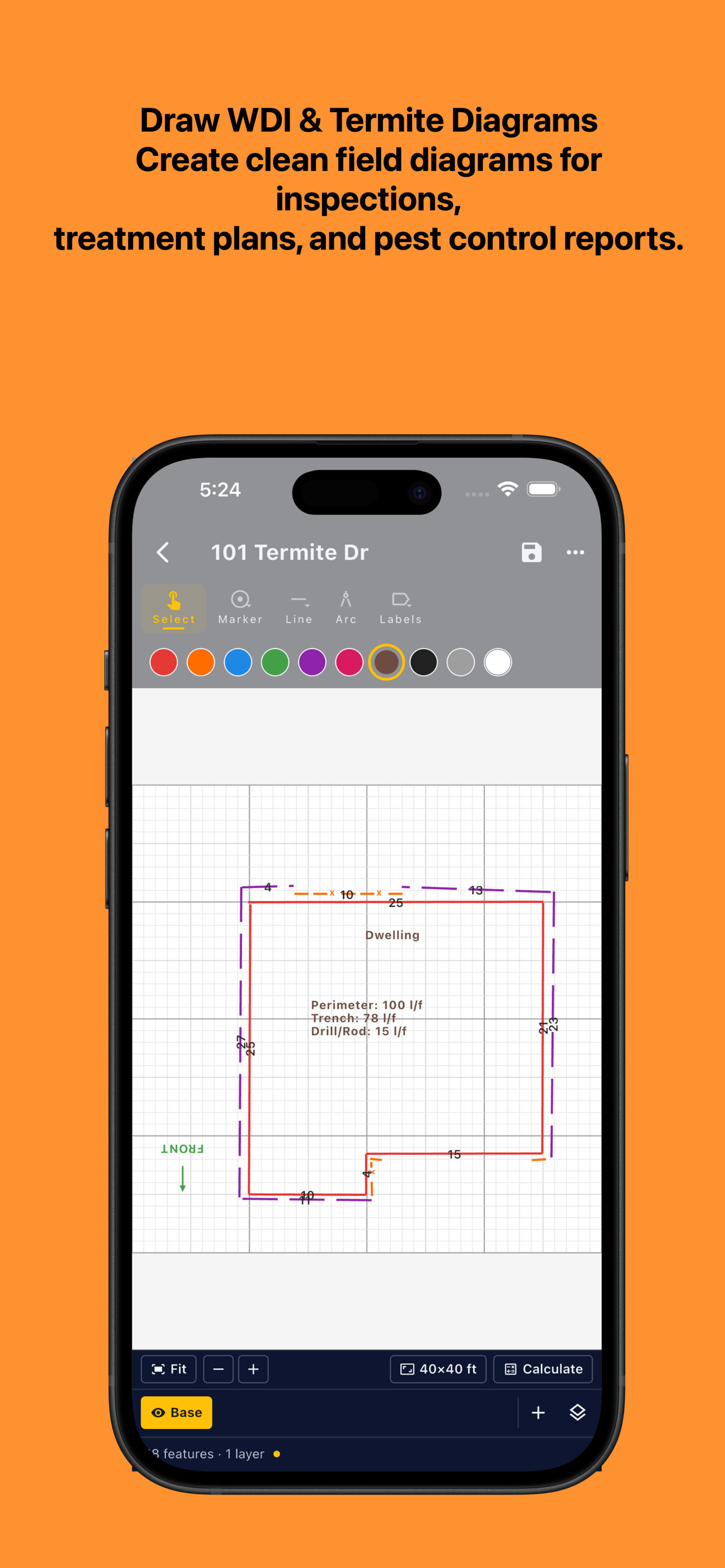
- Draw structures, lines, labels, treatment zones, bait stations, drill points, piers, trees, and other field markers
- Create diagrams from scratch or use supported map/building outline tools where available
- Save drawings for reports, treatment records, customer documentation, and field notes
- Work across phone, tablet, desktop, and laptop workflows
- Built for termite inspections, WDO/WDI documentation, and pest control treatment planning
Available for iPhone, iPad, Android, Mac, and Windows.




A NanoHawk® app from Swamp Ventures LLC
Screenshots from PestDraw
How It Works
PestDraw helps pest control professionals build clear field diagrams without starting from a blank PDF editor or generic sketch tool.
- Start a drawing from scratch, or use supported map/building outline tools where available
- Add structures, lines, labels, measurements, treatment notes, and field markers
- Mark termite treatment areas, drill/rod locations, bait station runs, piers, trees, stumps, and other inspection details
- Save the drawing for reports, service records, customer documentation, or future reference
No account required for basic drawing: You can create and save drawings without signing in. Sign-in is only used for account-linked features such as restoring purchases or using services that require an account. PestDraw does not sell personal information or use support emails for marketing. Map and building outline features require network access.
PestDraw Plus
PestDraw is free to download for everyday field diagrams. PestDraw Plus is a subscription that removes size and workflow limits for larger properties, compliance-oriented labels, and map-based drawing.
PestDraw Free
- Create and save inspection and treatment diagrams.
- Use standard drawing tools and labels.
- Work with smaller drawing canvases.
- Use basic Browse Map functionality.
- Export drawings to supported formats.
- No account required for basic drawing.
PestDraw Plus
- Create larger drawings without the Free canvas restrictions.
- Access state-specific and custom label tools.
- Work with larger building footprints using Browse Map.
- Sign in to sync your license across supported platforms (see FAQ).
Subscription purchase and billing are handled in the app through your platform’s store. Refunds follow store policy and the NanoHawk return policy where applicable.
Business licensing
PestDraw Plus can be licensed by businesses for 3+ users or individually through participating app stores.
Business licenses are managed by the business in the Licensing portal.
Who is PestDraw for?
Pest Control Professionals
- Termite technicians documenting treatment areas, drill points, trench lines, and bait stations
- PCOs creating treatment graphs for service records and customer files
- Field supervisors reviewing or standardizing diagram documentation
Inspectors and WDO/WDI Documentation
- Inspectors drawing WDO/WDI graphs and structure notes
- Professionals who need clearer diagrams than a markup-only PDF workflow
- Anyone who needs fast, practical field drawings without desktop CAD software
Popular uses
Frequently asked questions
What is PestDraw?
PestDraw is a pest control field diagram app for termite and WDO inspection and treatment graphs, bait stations, drill points, labels, and report-ready exports on phone, tablet, Mac, and Windows.
Is PestDraw free?
PestDraw is free to download. The free tier includes core drawing on smaller canvases, basic Browse Map, and exports within free limits. A PestDraw Plus subscription lifts canvas, label, and map footprint limits (see the questions below).
What are the Free vs Plus limits for canvas size?
On the free tier, canvas width and height can each be up to 40 ft or 12 m (your unit preference in the app). If either dimension is above that limit, PestDraw Plus is required.
What does PestDraw Plus include beyond Free?
PestDraw Plus includes larger canvases; state and custom label tools (standard labels remain on Free); and larger Browse Map calculate and create-drawing workflows. Plus is purchased as a subscription through your platform’s app store. Neither Free nor Plus displays advertising.
What are Browse Map limits on the free tier?
After Calculate on Browse Map, if the combined selected building area is over 1,600 sq ft, PestDraw Plus is required to view rolled-up stats. Create Drawing from a map selection requires Plus when the combined footprint is over 900 sq ft. Browse Map requires an internet connection.
Which devices and stores are supported?
PestDraw is available for iPhone, iPad, Android, Mac, and Windows through the App Store, Google Play, Mac App Store, and Microsoft Store. PestDraw Plus is purchased through the store for that platform.
Can I use PestDraw without an account?
Yes. You can create and save drawings without signing in. Sign in to sync your PestDraw Plus license across supported platforms and to use a business license assigned to your account.
How do termite inspection and treatment diagrams work?
Start a drawing from scratch or from a map building outline when within your tier limits. Add treatment zones, bait stations, drill and rod points, structures, and labels, then save and export for reports and service records.
Can I export drawings for reports?
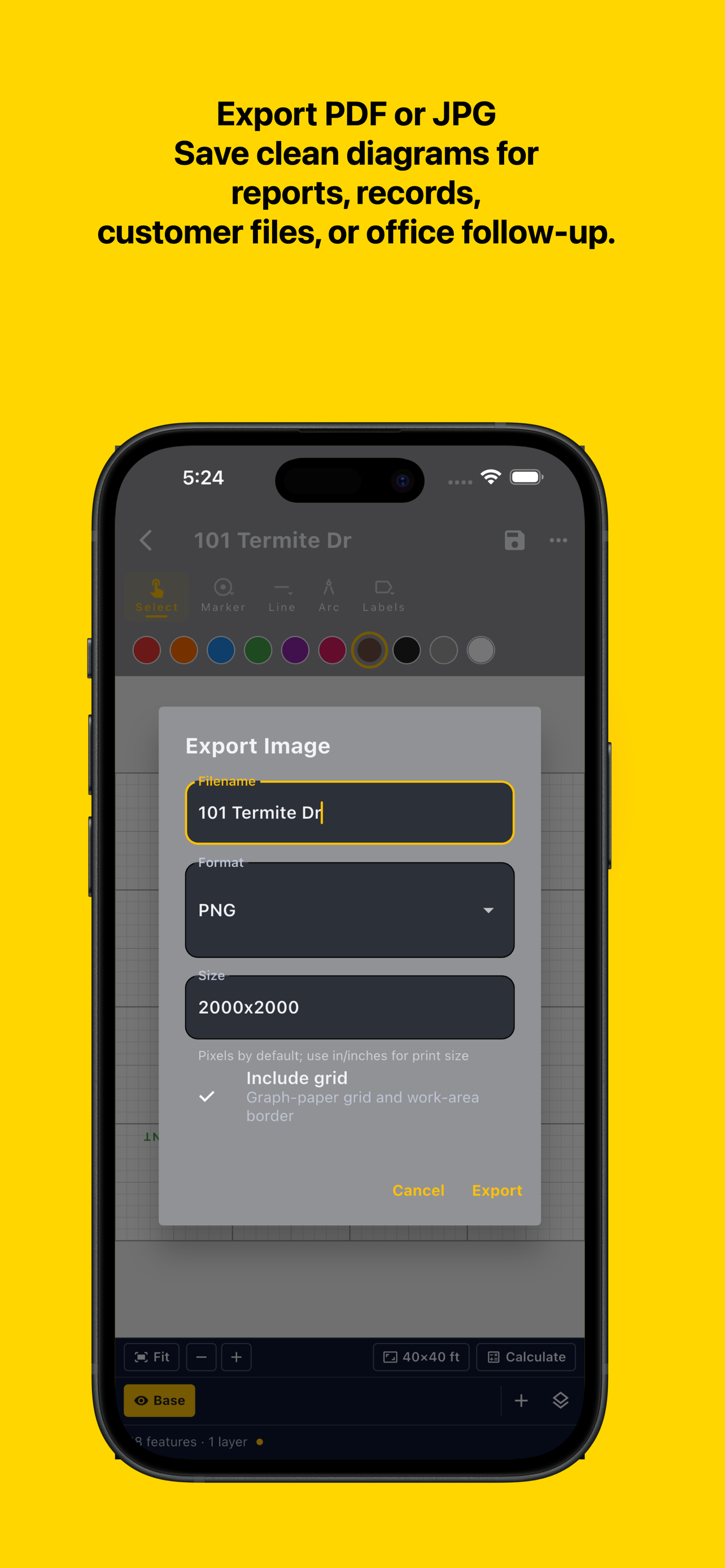
Yes. Export Image supports PNG, JPG, and PDF; Save as Photo saves a JPG to the device photo library. Export is available on the free tier and is not Plus-gated. PDF output embeds a raster image, not vector graphics.
Does PestDraw work offline?
Local drawing and saved files work offline. Browse Map and creating drawings from building map data require a network connection.
How does cross-platform licensing work?
Sign in with the same PestDraw account on each device. Sign-in syncs your license across supported platforms, so PestDraw Plus works on iPhone, iPad, Android, Mac, and Windows. A business license assigned to your account is recognized the same way when you sign in.
How does business or organizational licensing work?
Businesses can license PestDraw Plus for three or more users through the Licensing portal at https://dashboard.nanohawk.com. Individuals can subscribe through participating app stores in the app.